
Best Laptops Under ₹50,000 in India (2026)

TechWeu is a participant in the Amazon Associates Programme. We earn a small commission when you buy through our links, at no extra cost to you. This never affects our rankings — we recommend what we would actually buy.
Looking for the best laptops under ₹50,000 in India? We read the full specification on every model Amazon India currently lists in this band — here is what is genuinely worth buying, and what to walk straight past.
Let me say the uncomfortable thing first: ₹50,000 is currently the worst-value price band in the Indian laptop market. Not because there’s nothing good in it — there are two or three genuinely sensible machines. But because this is where manufacturers park last-generation silicon behind current-generation model numbers, and where a 1366×768 panel can still cost you fifty thousand rupees in 2026.
I pulled every laptop Amazon India currently lists between ₹35,000 and ₹50,000 and read the actual spec sheets rather than the marketing. Most of what came back was entry-level hardware wearing a mid-range price tag. A few were outright traps.
So this guide is structured differently from the usual roundup. The picks matter, but what will burn you matters more — because at this budget the difference between a good buy and a bad one isn’t ₹3,000 of performance. It’s whether the thing is still usable in three years.
Best laptops under 50000: the 60-second answer
- Best overall — Acer Aspire Lite AL15-52 (Core i3-1215U, 16GB): the only machine here that ships with 16GB dual-channel RAM and a genuine 6-core CPU. If you buy one thing from this list, buy this.
- Best value — Acer Aspire Lite AL15-41 (Ryzen 3 5400U): ₹10,000 cheaper, an IPS panel, and two SO-DIMM slots so you can add RAM yourself. Better architecture than several “newer” chips above it.
- Best if you need light — ASUS Vivobook Go 14: 1.38kg and MIL-STD 810H tested. You pay for the portability in battery capacity.
- Best big-screen — HP 15 (fc0154AU): good panel-for-money and Wi-Fi 6, but read the USB-C warning below before you buy it.
- Don’t buy: anything with a 1366×768 or TN display at this price, and anything that ships with DOS unless you know exactly what you’re doing.
Three traps that cost people money in this segment
1. AMD’s model numbers do not tell you the architecture
This is the single most useful thing I can tell you about buying an AMD laptop in India right now, and almost no listing will mention it.
Within the same “Ryzen 7000 series” branding, there are two completely different chips:
- Ryzen 3 7320U — codename Mendocino. Built on Zen 2 cores. Zen 2 launched in 2019. It has 4MB of L3 cache and RDNA2 integrated graphics.
- Ryzen 3 7330U — codename Barcelo-R. Built on Zen 3 cores, with 8MB of L3 cache and older Vega graphics.
Same “73xxU” family. Two generations of CPU architecture apart. And it gets better: the Ryzen 3 5400U — which looks two generations older by name — is also Zen 3. Which means a “5400U” laptop has meaningfully stronger CPU cores than a “7320U” laptop, despite the name suggesting the opposite.
The rough hierarchy for what’s actually on sale here, best CPU cores first:
- Intel Core i3-1215U — 6 cores / 8 threads (2 performance + 4 efficient), 10MB L3
- Intel Core i3-1305U — 5 cores / 6 threads (1 performance + 4 efficient), 10MB L3
- AMD Ryzen 3 7330U / 5400U — 4 cores / 8 threads, Zen 3, 8MB L3
- AMD Ryzen 3 7320U — 4 cores / 8 threads, Zen 2, 4MB L3
- Anything called Athlon or Celeron — avoid at this price entirely
For the everyday reality of 25 browser tabs, Excel, and a Teams call, cores and cache matter more than boost clocks. The i3-1215U’s four efficiency cores are the reason it holds up better when you stop being polite to it.
2. The display is where the money was saved
Three separate machines in the ₹42,000–₹50,000 range are shipping panels that would have been unacceptable five years ago:
- The Acer Aspire One A114-43 — sold as “Ryzen 5” at ₹49,990 — has a 1366×768 WXGA display. At fifty thousand rupees.
- The Acer Aspire Lite AL15-53 (i3-1305U, ₹49,990) has a Full HD panel, but it’s TN, not IPS. Viewing angles collapse the moment your head moves.
- Several Aspire One variants list “TN HD” outright.
Look for the letters IPS and the numbers 1920×1080 together. If a listing mentions Full HD but not the panel type, assume TN and price it accordingly. A laptop you look at for eight hours a day is not the place to save ₹2,000.
One more number worth knowing: nearly everything in this band is 250 nits with 45% NTSC coverage. That’s fine indoors, dim near a window, and not remotely colour-accurate. If you edit photos, this entire price band is the wrong place to shop — and I’d rather say that than sell you one anyway.
3. “MS Office/Windows not Installed” means you’re buying a DOS machine
Several HP listings at ₹47,000–₹49,000 quietly ship with FreeDOS. A Windows 11 Home licence is roughly ₹8,000–₹12,000 at retail. That turns a ₹49,240 laptop into a ₹58,000 laptop, which changes the comparison entirely.
This is fine if you’re installing Linux, or you have a licence already. It’s a nasty surprise if you didn’t read the title carefully. Search the listing for “DOS” before you buy anything.
Bonus trap: the MRP is often fiction
One machine in this list shows a “was” price of ₹1,21,990 against a selling price of ₹49,650. No Lenovo V15 with a Ryzen 3 and 8GB of RAM was ever a ₹1.2 lakh laptop. Ignore the strikethrough entirely and judge the number you actually pay.
The comparison
| Product | Best for | Rating | Price | |
|---|---|---|---|---|
| Best overall — 16GB, 6-core | — | ₹49,990 | Check price | |
| Best value — upgradable, IPS | — | ₹39,990 | Check price | |
| Lightest — 1.38kg | — | ₹48,990 | Check price | |
| Best big screen | — | ₹49,990 | Check price | |
| Big screen alternative | — | ₹49,400 | Check price | |
| Skip — TN panel | — | ₹49,990 | Check price | |
| Skip — 768p at ₹50K | — | ₹49,990 | Check price |

Prices accurate as of 4 Sep 2026, 9:13 am and are subject to change. Any price shown at the time of purchase on Amazon applies.
Prices update automatically from Amazon and are correct as of the timestamp shown above.
The picks, in detail
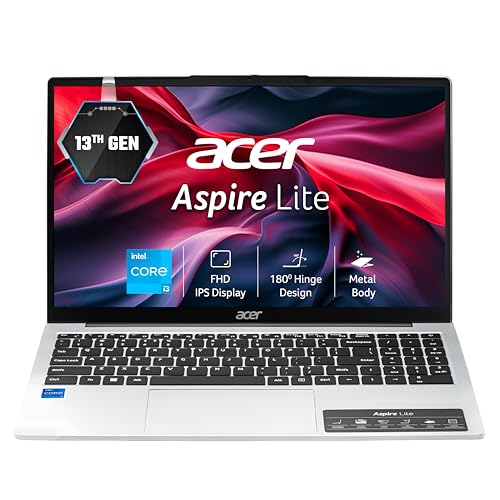
1. Acer Aspire Lite AL15-52 — Best overall

acer Aspire Lite 12th Gen Intel Core i3-1215U Premium Metal Laptop (Windows 11 Home/16 GB RAM/512GB SSD) AL15-52, 39.62cm (15.6") Full HD Display, Metal Body, Steel Gray, 1.59 Kg
- Powerful Productivity: 12th Generation Intel Core i3-1215U Dual Core processor delivers unmatched speed and intelligence, enabling impressive creating, productivity, and gaming experiences. With Turbo Boost Technology, get up to 4.4GHz for your high-demand applications. Connectivity Technology: Wi-Fi, Bluetooth, HDMI
- Visibly Stunning: Experience sharp details and crisp colors on the 15.6" Full HD display, 16:9 aspect ratio, ultra-slim design and narrow bezels.
- Internal Specifications: RAM - 16 GB of Dual-channel DDR4, 2 SODIMM sockets; Storage - 512 GB SSD NVMe solid-state drive storage (expandable up to 1TB) to store your files and media
- Ports: one Type-C port, two USB 2.0 Type-A port, and one USB 3.2 Type-A port.
The only 16GB dual-channel configuration in the band, on the only genuine 6-core CPU.
Scored from published specifications against our open scoring rubric. Spec-derived, not a lab measurement — we tell you where every number comes from.
Core i3-1215U · 16GB dual-channel DDR4 · 512GB NVMe · 15.6″ FHD · 1.59kg
Why it wins: It’s the only laptop in this entire price band that ships with 16GB of RAM, and it pairs that with the strongest CPU here. The i3-1215U is a 6-core, 8-thread Alder Lake part — Amazon’s own listing calls it “Dual Core,” which is simply wrong. Two performance cores plus four efficiency cores is a genuinely different class of chip from the 4-core parts everything else in this list uses.
The 16GB is dual-channel across two SO-DIMM slots, which also means the integrated graphics get full memory bandwidth. That matters more than people think — Intel’s UHD graphics on a single 8GB stick is a noticeably worse experience than the same chip with two.
Where it falls short: The port selection is dated — two of the USB-A ports are USB 2.0, which in 2026 is stingy. The display is Full HD but Acer doesn’t specify IPS on this SKU, so treat the panel as the weak point. And at ₹49,990 it sits at the absolute top of the budget with no headroom.
Buy it if: you want the machine that will still feel fine in three years, and you’d rather not open it up yourself.
Skip it if: you’re willing to buy RAM separately — in which case the AL15-41 below saves you real money.
2. Acer Aspire Lite AL15-41 (Ryzen 3 5400U) — Best value
Acer Aspire Lite, AMD Ryzen 3-5400U, 8GB RAM/256GB SSD, Full HD IPS, 15.6"/39.62 cm, Windows 11 Home, Steel Gray, 1.59 KG, AL15-41, Metal Body, Premium Thin and Light Laptop
- Processor: AMD Ryzen 3 5400Uprocessor(2.6 GHz base clock, up to 4.0 GHz max boost clock, 8 MB L3 cache, 8 cores)|Operating System: Windows 11 Home |Preinstalled Software: None
- Visibly Stunning: 15.6" Full HD IPS 1920 x 1080, high-brightness TFT LCD : 16:9 aspect ratio, Ultra-slim design ,Mercury free, environment friendly
- Internal Specifications: RAM - Dual channel DDR4, 2 SODIMM sockets, 8 GB of DDR4 Memory Upgradable up to 32GB, DDR4 3200 MHz; Storage : 256GB, PCIe Gen3
- Ports: 2 x USB 2.0 (Type A), 1 x USB 3.2 Gen 1 (Type A), 1 x USB 3.2 Gen 2 (Type C)
Zen 3 silicon, an IPS panel and two RAM slots for ₹10,000 less than the top of the band.
Scored from published specifications against our open scoring rubric. Spec-derived, not a lab measurement — we tell you where every number comes from.
Ryzen 3 5400U · 8GB DDR4 (2 slots, up to 32GB) · 256GB NVMe · 15.6″ FHD IPS · metal body · 1.59kg
Why it wins: ₹10,000 less than the pick above, and it does three things right that machines ₹8,000 dearer get wrong. It has a genuine IPS panel. It has a metal body. And critically, it has two SO-DIMM slots — so an 8GB stick for around ₹1,800–₹2,500 gets you to 16GB dual-channel, landing you within touching distance of the AL15-52 for well under its price.
The 5400U is Zen 3. As covered above, that makes it architecturally newer than the “7320U” chips in laptops selling for ₹5,000–₹10,000 more. Its Vega graphics are weaker than the RDNA2 in the 7320U, but for anything that isn’t gaming, the stronger CPU cores are the better trade.
Where it falls short: 256GB of storage is genuinely tight — Windows 11 plus Office leaves you well under 180GB usable. Budget for an SSD upgrade or accept living on cloud storage. The 4-core/8-thread CPU will also feel the strain before the i3-1215U does under heavy multitasking.
Buy it if: you’re comfortable adding a RAM stick, or you want the most laptop per rupee here.
Skip it if: you want it to work perfectly out of the box with no tinkering.
3. ASUS Vivobook Go 14 — Best if weight matters

ASUS Vivobook Go 14 (2026),AMD Ryzen 3 30 Processor,AMD Radeon iGPU,8GB RAM,512GB SSD,FHD,14" (35.5 cm),Windows 11,M365 Basic(1Y)* Office 2024,Cool Silver,1.38 Kg,E1404FA-EB1224WS,Thin & Light Laptop
- Processor, Memory & Storage : AMD Ryzen 3 30 Processor 2.4GHz (6MB Cache, up to 4.1GHz, 4 cores, 8 Threads) | Memory : LPDDR5 8GB RAM | Storage : 512GB M.2 NVMe PCIe 3.0 SSD + 100GB Cloud Storage with Microsoft 365 Basic for 1 Year.
- Operating System & Software : Windows 11 Home | Software : Microsoft 365 Basic with 100GB Cloud Storage for 1 Year + Office Home 2024 with lifetime validity.
- Display & Graphics : 14.0-inch, FHD (1920 x 1080) 16:9 aspect ratio, 60Hz Refresh rate, 250nits Brightness, 45% NTSC color gamut, Anti-glare(AG) display, 83% Screen-to-body ratio | Graphics : Intergrated AMD Radeon Graphics
- Ports & Connectivity : 1x USB 2.0 Type-A (data speed up to 480Mbps), 1x USB 3.2 Gen 1 Type-A (data speed up to 5Gbps), 1x USB 3.2 Gen 1 Type-C (data speed up to 5Gbps), 1x HDMI 1.4, 1x 3.5mm Combo Audio Jack, 1x DC-in | Connectivity : Wi-Fi 6E(802.11ax) (Triple band) 1*1 + Bluetooth 5.3 Wireless Card (*Bluetooth version may change with OS version different.)
Lightest and best-built here, but soldered 8GB caps how long it stays useful.
Scored from published specifications against our open scoring rubric. Spec-derived, not a lab measurement — we tell you where every number comes from.
Ryzen 3 (4C/8T) · 8GB LPDDR5 · 512GB NVMe · 14″ FHD 250-nit · 42Wh · 1.38kg
Why it wins: At 1.38kg it’s meaningfully lighter than the 1.59kg 15-inchers, and ASUS puts it through MIL-STD 810H testing — not a guarantee of anything, but a signal the chassis was engineered rather than just moulded. It also has a 720p camera with a physical privacy shutter, which is a genuinely nice touch at this price.
Where it falls short: Two real compromises. The battery is only 42Wh — small, and the direct cost of the low weight. And the RAM is LPDDR5, soldered: 8GB is what you have forever. That’s the thing that will eventually retire this laptop, not the CPU.
Buy it if: you carry it daily and 8GB genuinely covers your workload.
Skip it if: you keep laptops longer than three years — soldered 8GB ages badly.
4. HP 15 fc0154AU — Best big screen, with one caveat

HP 15, AMD Ryzen 3 7320U (8GB LPDDR5, 512GB SSD) FHD, Anti-Glare, Micro-Edge, 15.6"/39.6cm, Win 11, Office 21, Silver, 1.59kg, fc0154AU, AMD Radeon Graphics, 1080p FHD Camera Laptop
- Processor : AMD Ryzen 3 7320U (up to 4.1 GHz max boost clock, 4 MB L3 cache, 4cores, 8 threads)| Storage & Memory : 8 GB LPDDR5-5500 MHz RAM , 512 GB PCIe NVMe M.2 SSD
- Display: 39.6 cm (15.6") diagonal, FHD (1920 x 1080), micro-edge, anti-glare, 250 nits, 45% NTSC
- Graphics & Networking : AMD Radeon Graphics|Networking: Realtek Wi-Fi 6 (2x2) and Bluetooth 5.3 wireless card (supporting gigabit data rate)
- Ports: 1 USB Type-C 5Gbps signaling rate (supports data transfer only and does not support charging or external monitors); 2 USB Type-A 5Gbps signaling rate; 1 AC smart pin; 1 HDMI 1.4b; 1 headphone/microphone combo
Best display and Wi-Fi 6, undermined by Zen 2 silicon and a USB-C port that only moves data.
Scored from published specifications against our open scoring rubric. Spec-derived, not a lab measurement — we tell you where every number comes from.
Ryzen 3 7320U · 8GB LPDDR5-5500 · 512GB NVMe · 15.6″ FHD anti-glare 250-nit · Wi-Fi 6 · 1.59kg
Why it wins: The best-specified display in the group on paper — Full HD, micro-edge, anti-glare — plus Wi-Fi 6 and Bluetooth 5.3, where several rivals are still on Wi-Fi 5. It also has a genuine 1080p webcam, which is rare here and matters if you’re on calls all day. Usually the cheapest way into a competent 15-inch machine.
Where it falls short — read this before buying: HP’s own spec sheet states the USB-C port “supports data transfer only and does not support charging or external monitors.” That is a real limitation. No USB-C monitor, no USB-C dock, no charging from a power bank or phone charger. Combined with HDMI 1.4 — which caps you at 4K/30Hz — this is a poor machine for a multi-monitor desk setup.
The 7320U is also the Zen 2 chip discussed above, and the 8GB LPDDR5 is soldered.
Buy it if: it’s a standalone laptop and video-call quality matters.
Skip it if: you plan to dock it to an external display.
5. Lenovo V15 G4 — the big-screen alternative
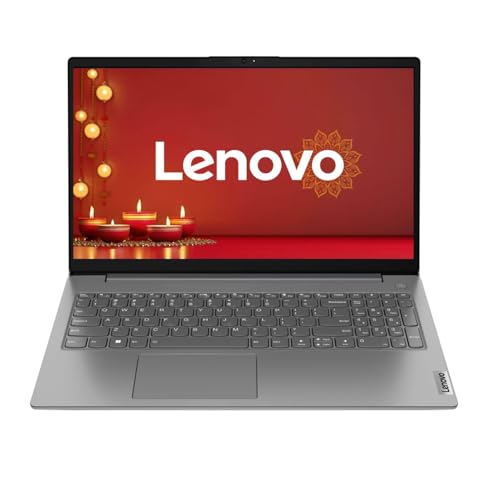
Lenovo V15 G4 (2024), AMD Ryzen 3 7320U Quad Core - (8GB/512GB SSD/AMD Radeon Graphics/Windows 11 Home) Thin and Light Business Laptop/15.6" FHD Display/Arctic Grey/1.57 kg/MS Office 2021
- Processor: AMD Ryzen 3 7320U Quad Core processor for efficient performance
- Memory and Storage: 8GB RAM and 512GB SSD for smooth multitasking and ample storage
- Display: 15.6" FHD display for clear and vibrant visuals
- Graphics: AMD Radeon Graphics for enhanced graphics performance
Same Zen 2 chip as the HP for more money, with far less published specification.
Scored from published specifications against our open scoring rubric. Spec-derived, not a lab measurement — we tell you where every number comes from.
Ryzen 3 7320U · 8GB · 512GB SSD · 15.6″ FHD · 1.57kg
Essentially the same silicon as the HP above, usually at a slightly higher price, and Lenovo publishes far less spec detail — no panel type, no brightness, no port speeds. When a manufacturer doesn’t publish those numbers, it’s rarely because they’re flattering.
Worth considering if Lenovo’s service network is stronger where you live, which in smaller cities it often is. Otherwise the HP is the better-documented buy. And ignore that ₹1,21,990 “MRP” entirely.
What I’d actively avoid
- Acer Aspire One A114-43 (“Ryzen 5-40”, ₹49,990) — a 1366×768 display and Wi-Fi 5 at fifty thousand rupees. The “Ryzen 5” badge is doing enormous work here; the underlying spec is 4 cores with 4MB of L3, which is entry-level silicon. This is the worst-value machine in the segment.
- Acer Aspire Lite AL15-53 (i3-1305U, ₹49,990) — a TN panel and a weaker 5-core CPU for the same money as the 16GB, 6-core AL15-52. There is no scenario where this is the better buy.
- Anything with a Celeron N4500 — a 2-core, 2-thread chip. At ₹35,990 it is not a bargain, it’s a machine that will frustrate you inside a year.
- Unknown brands (you’ll see names like Prittec at ₹43,699 with an i5-1235U). The spec looks great precisely because there’s no service network behind it. When something fails in month fourteen, there’s nobody to call. The premium you pay for Acer, HP, Lenovo or ASUS is the service centre, and at this budget that’s the right thing to pay for.
Honest advice: should you buy in this band at all?
A roundup is supposed to end with “buy one of these.” Here’s the more useful answer.
Stretch to ₹55,000–₹60,000 if you possibly can. That’s where Ryzen 5 7530U and Core i5-1335U machines start — 6 and 8-core chips with proper 16GB configurations. The jump in capability from ₹50K to ₹60K is far larger than the jump from ₹40K to ₹50K. If waiting two months gets you there, wait.
Buy at ₹40,000 instead of ₹50,000 if you can’t. The Aspire Lite AL15-41 at around ₹40,000 plus a ₹2,000 RAM stick gets you ~90% of the ₹50,000 experience. Spending the extra ₹8,000 in this band buys surprisingly little.
Buy during the festival sales. Amazon’s Great Indian Festival and Flipkart’s Big Billion Days routinely knock ₹4,000–₹8,000 off exactly these models. If you’re reading this outside a sale window and can wait, waiting is worth real money.
What none of these machines are: gaming laptops, video-editing machines, or laptops for colour-accurate work. Integrated Radeon 610M and Intel UHD will run older esports titles at 720p and low settings, and that’s the honest ceiling. Anyone telling you a ₹50,000 laptop games well is selling you something.
Frequently asked questions
Is 8GB RAM enough in 2026?
For browsing, Office and streaming — yes, just about. For 20+ Chrome tabs alongside Teams and Excel — no, you’ll hit swap and everything will feel sluggish. The critical question isn’t whether 8GB is enough today; it’s whether the RAM is soldered. 8GB in a SO-DIMM slot is a ₹2,000 problem. 8GB soldered LPDDR5 is a permanent one.
Ryzen or Intel at this price?
At ₹50,000 specifically, Intel — because the i3-1215U’s 6 cores beat every 4-core AMD part available here. Lower down, around ₹40,000, AMD’s Zen 3 chips (5400U, 7330U) are the better buy. Note this flips at ₹60,000+, where Ryzen 5 7530U becomes very strong.
Should I buy a DOS laptop and install Windows myself?
Only if you already own a licence or genuinely intend to run Linux. Otherwise add ₹8,000–₹12,000 to the price and re-run the comparison — the DOS machine usually stops looking cheap.
Is 256GB storage enough?
Windows 11 plus Office leaves roughly 170–180GB usable. Workable if you live in the cloud, tight otherwise. Most of these have an accessible M.2 slot, and a 1TB NVMe drive is around ₹4,000 — often a better upgrade than any spec bump the manufacturer will sell you.
Are these good for programming?
For web development, Python and general coursework — yes, though 16GB makes a real difference once Docker or an Android emulator is involved. That pushes you firmly toward the AL15-52, or toward upgrading the AL15-41 yourself.
The bottom line on the best laptops under ₹50,000
If you want one recommendation: the Acer Aspire Lite AL15-52, because 16GB of dual-channel RAM and a 6-core CPU is the only configuration here that isn’t already compromised on the day you buy it.
If you want the smart-money recommendation: the AL15-41 at ₹40,000 plus a RAM stick, and put the ₹8,000 you saved toward a monitor or an SSD.
And if you’re not in a hurry: wait for the festival sale, or save for another month and shop at ₹60,000. This particular price band doesn’t reward the extra spend the way the next one up does — and you deserve to hear that from a site that makes money on the links, not despite it.
More TechWeu buying guides
Comments
Loading comments...


