
How to use credit card money with PhonePe, learn how – TechWeu

How to use credit card money from PhonePe App
Step 1: First open the app on the phone and then log in.
Step 2: After this, click on the My Money tab, seen below.
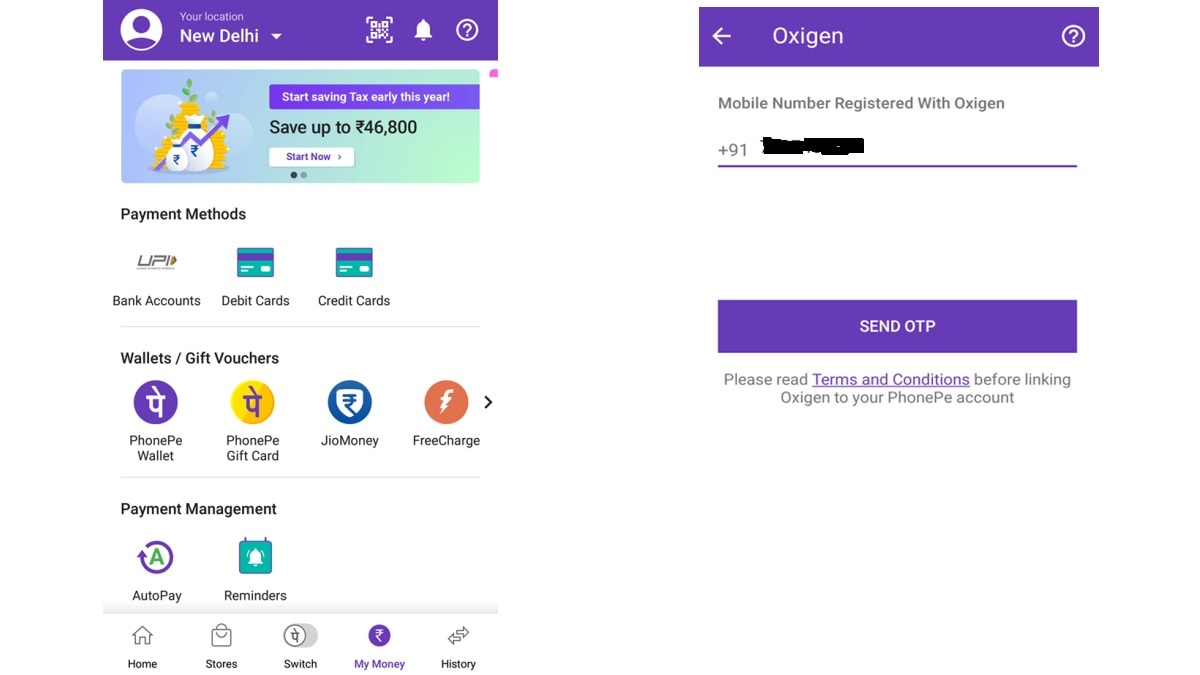
Step 3: Here you will see FreeCharge, Airtel Money, JioMoney, Oxigen Wallet. Link these wallets to the PhonePe app with the help of OTP verification.
Step 4: Then go to the linked wallet app and add money to the wallet with the help of a credit card.
After adding money to the wallet mentioned above, whenever you make a payment through phone pay, you will see the amount in the linked wallet. According to your convenience, tick the box next to which wallet you want to pay. By doing this, you can use credit card money through Phone Pe with the help of freecharge or any other wallet.
Comments
Loading comments...


