
How to secure your Facebook account?-TechWeu

How to activate two-factor authentication
1) First login to the Facebook account.
2) Click on the Triangle above and on the right, and go to Settings.
3) After going to Settings, you will see the option of Security and Log-in on the left side.
4) After clicking on Security and Log-in below, you will get Change Password and Log-in Options. Just below these options is ‘Two-factor authentication’.
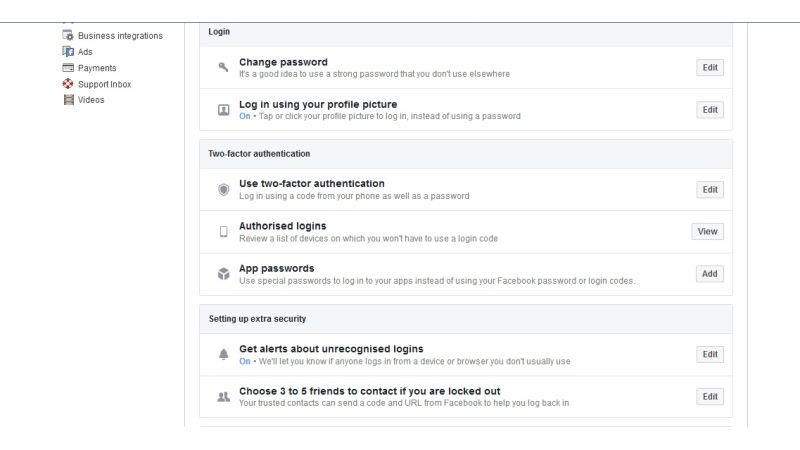
5) Click on Two-Factor Authentication.
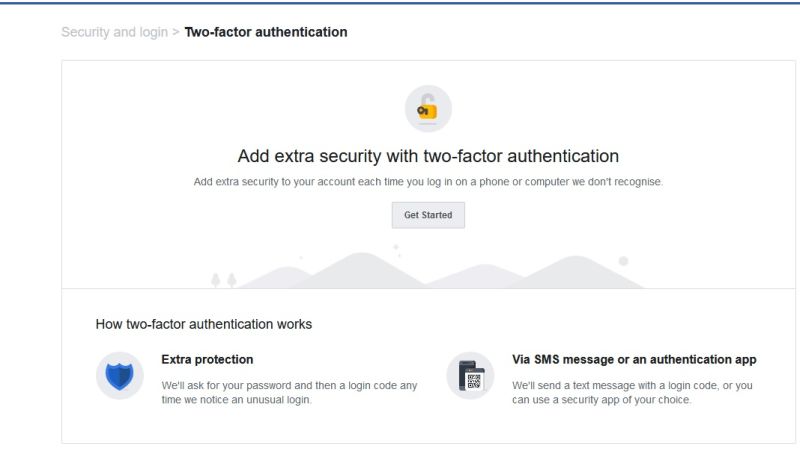
6) After this, click on Get Started.
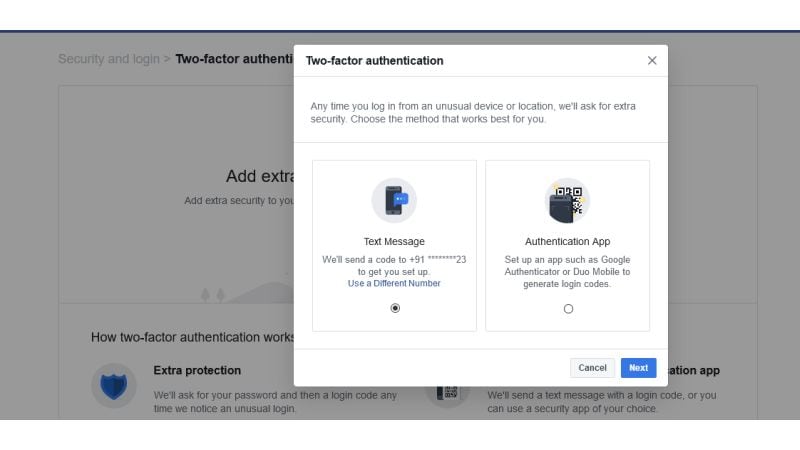
7) Now you will have two options – Text Message and Authentication App.
First Way Text Message
1) If you select the text message option then you have to enter the phone number. Keep in mind that code will be sent to your number for verification.
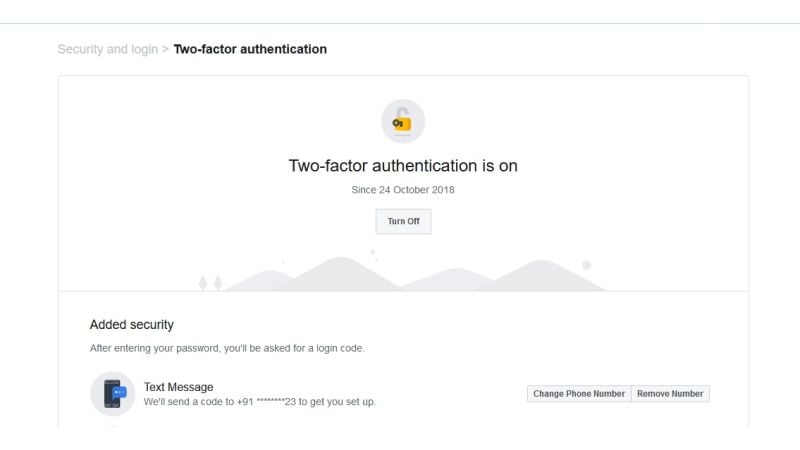
2) After entering the number code will be received on your phone.
3) Two-factor authentication will be activated as soon as you enter the code.
Second Way Authentication App
1) If you do not want to enter your mobile number then you can select this option. For this, you have to download the Google Authenticator app which appears on the screen.
2) After downloading the app, scan the QR code appearing on the screen with the help of the authentication app.
3) After this enter the code appearing in the app on the computer.
4) After entering the code you will see that two-factor authentication will be turned on.
Comments
Loading comments...


